Product journey
One connected family experience, explained simply.
Create the family space, connect the child’s Android device, choose protections, and stay informed as needs change.
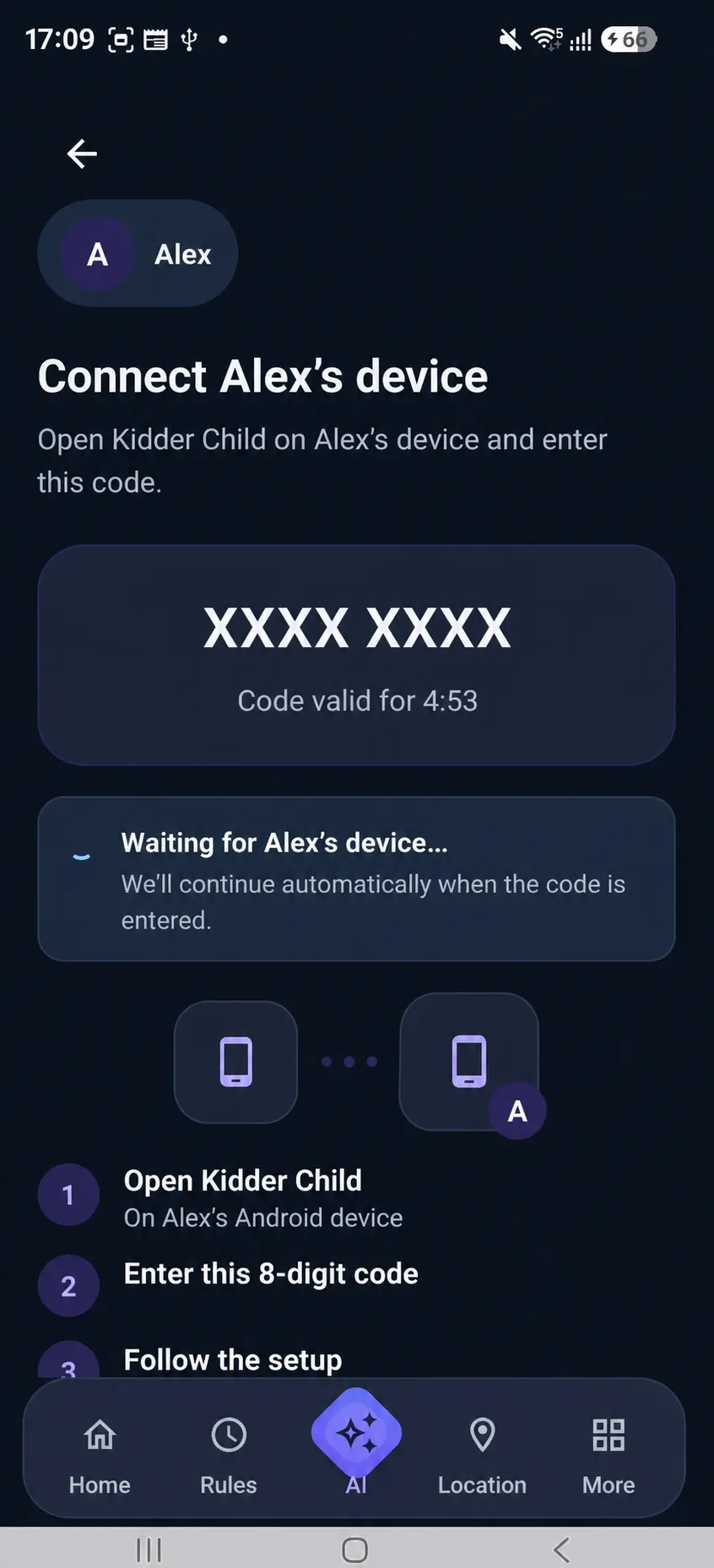
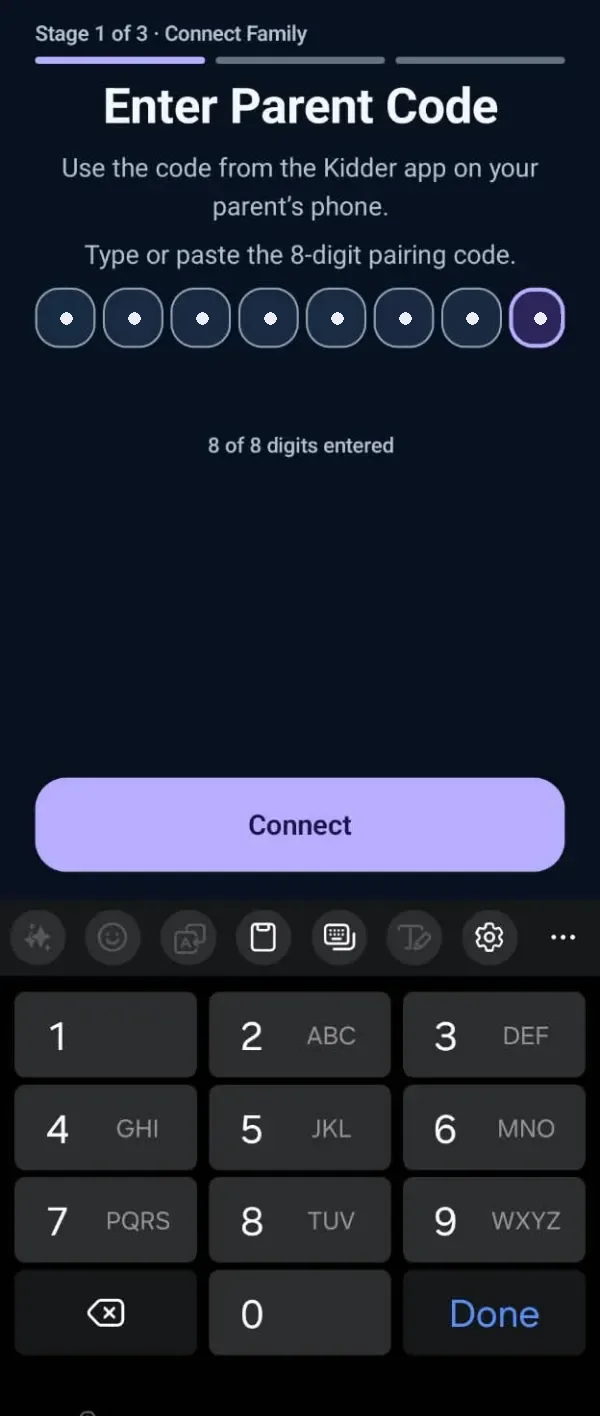
One family, two apps
Your phone guides. Their device connects.
Start with Kiddar on the parent’s phone. Kiddar Child connects the intended child device through authorized pairing and permission review.

The Kiddar system
Four steps connect family choices to everyday context.
This is the conceptual product flow. Getting Started provides the detailed installation and setup instructions.
Kiddar connects the parent experience and child device around routines, online safety, family-safety states, and useful updates in a flow families can understand.
- 01
Create the Parent account
Begin in Kiddar, create the family space, and prepare the intended child profile.
Parent - 02
Connect the child device
Install Kiddar Child on the supported Android device, follow the pairing journey, and confirm the intended family connection.
Connect - 03
Choose protections together
Review relevant permissions, then select the Rules, routines, and safety settings that fit your family.
Choose - 04
Stay informed and adjust
Use protection status and recent activity as context, then revisit family choices as needs change.
Review
Transparent from setup onward
Families should understand what is enabled and why.
Kiddar’s approach connects relevant permissions to product purposes and encourages families to review choices over time.
Designed for Android
Move from product understanding to guided setup.
Check device considerations first, then review the parent-app, child-device, pairing, and permission guides. Kiddar is available on Google Play in India. Availability elsewhere may vary. Review the child-device requirements before enabling protection.
 Get Kiddar on Google Play